Vector Art for Screen Printing vs Embroidery: Complete File Prep Guide
Graphic designers often wonder why a clean vector EPS file cannot be plugged directly into an embroidery machine or screen press without preparation. Learn how vector art file prep differs for screen printing versus embroidery digitizing.
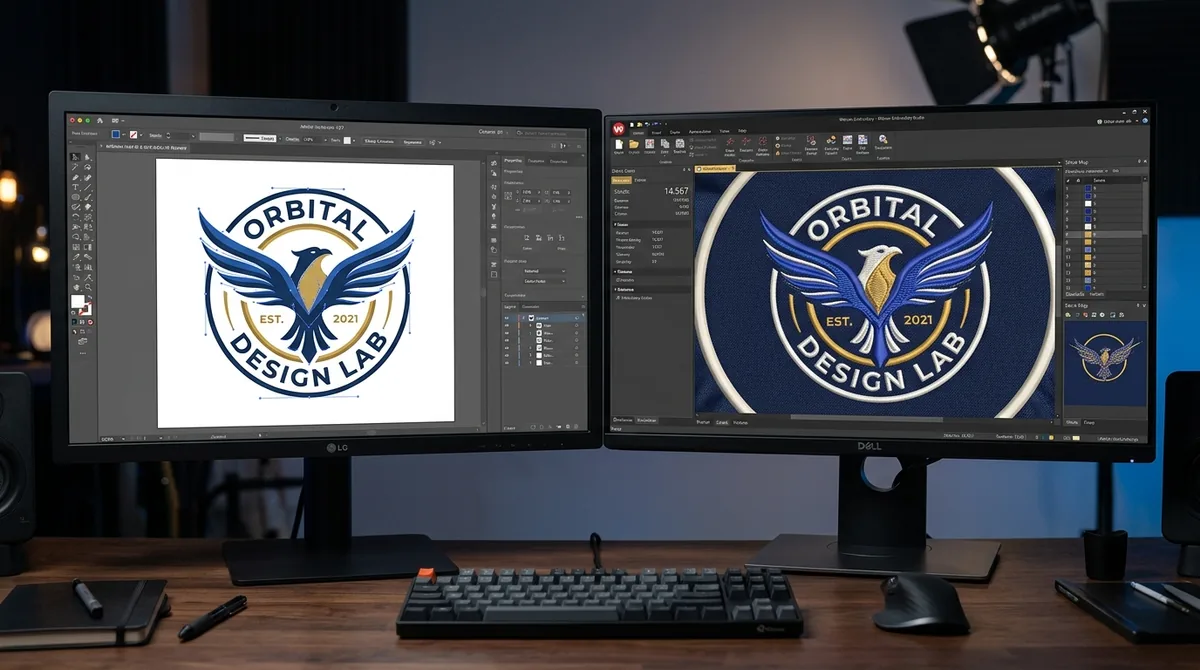
In the custom apparel decoration world, vector artwork is the universal foundation. However, preparing a vector file (AI, EPS, PDF, or SVG) for screen printing requires a completely different mindset and technical workflow than preparing that same artwork for embroidery digitizing.
Vector Art for Screen Printing: The Science of Color Separation
Screen printing is a 2D stencil process where liquid plastisol or water-based inks are pushed through mesh screens onto fabric. Preparing vectors for screen printing requires:
- Pantone PMS Spot Color Conversion: All RGB or CMYK gradients and shapes must be converted into solid spot color layers corresponding to physical ink buckets.
- Vector Trapping & Choking (0.5pt–1.0pt): Lighter colors are slightly expanded (spread) underneath darker outline strokes so minor registration shifts during wet ink printing do not show gaps.
- Underbase White Generation: Dark garments require a solid white underbase screen with a 1pt choke so bright colored inks remain vibrant without white ink bleeding past the borders.
- Halftone Dot Conversion for Gradients: Continuous tone gradients must be converted into rasterized halftone dot angles (LPI) compatible with specific mesh counts (e.g., 230 mesh).
Vector Art for Embroidery: Translating Geometry to Thread
Embroidery is a 3D physical textile process. Needles punch through fabric thousands of times, pulling threads under physical tension. A vector file serves as the blueprint, but the digitizer must engineer structural elements that do not exist in graphic design:
- Push-and-Pull Physics: Stitches pull inward along the stitch angle and push outward at the needle ends. Digitizers must add physical pull compensation (0.35mm–0.45mm) to vector shapes.
- Underlay Foundation: Before sewing visible satin or tatami top stitches, the software must generate underlay stitches to anchor the fabric to the stabilizer backing.
- Stitch Direction Angles: While a vector circle is a single flat shape, embroidery requires planning directional stitch angles to reflect light and prevent the fabric from gathering.
- Minimum Column Widths: Vector lines that are 0.25pt wide look great on screen but disappear or shred fabric in embroidery. Lines must be expanded to at least 0.8mm–1.0mm thickness.
Professional Vector Art & Digitizing in One Place
At Velora Digitizing, our design team handles both worlds seamlessly. We offer high-precision vector art conversion services for screen printing, vinyl cutting, and engraving, as well as production-ready embroidery digitizing services. Send us your artwork on our contact page for instant support.
Related service
Vector Art Conversion Services